
If your generator stops when you press STOP, but starts again or continues running in AUTO after the transfer switch’s start signal has been disconnected, the controller may still be detecting a remote-start request.
Possible causes include a short in the remote-start wiring, a wiring modification, or a damaged controller input. The following procedure helps identify where the problem originates and explains how an unused input may restore automatic operation.
These instructions apply to Aurora generators equipped with a DynaGen TG350 or TG410, using Switched Input C for ground-triggered remote starting.
How the remote-start signal works
In this Aurora configuration, the automatic transfer switch (ATS) requests operation by closing a contact that connects the controller’s remote-start input to DC ground, meaning battery negative.
When that contact opens, the start request is removed. The controller then follows its programmed stopping sequence, including any cooldown delay.
If the wiring becomes shorted to ground, the controller interprets that condition as a continuous start request. A damaged input can produce the same behaviour, even after the external wiring is disconnected.
Pressing STOP stops the generator, but returning it to AUTO allows the active start request to start it again.
Before you begin
Electrical testing and connector changes should be performed by a qualified technician. The control panel contains circuits that may remain energized when the engine is stopped.
Keep the controller in STOP/OFF while handling wiring. Isolate the applicable power sources before moving terminals or unplugging connectors. Restore power only for controlled testing, with everyone clear of the generator.
Do not disturb the AC voltage-sensing connections.
1. Isolate the ATS and external wiring
Disconnect the external remote-start wiring at its first connection point inside the Aurora generator control panel. Insulate the disconnected conductors so they cannot contact ground or other terminals.
With the panel safe for testing, return the controller to AUTO.
- If the unwanted starting stops: investigate the ATS, external control cable, and their connections.
- If the unwanted starting continues: the cause may be inside the generator panel or within the controller.
Disconnecting the wiring only at the ATS does not rule out a short in the cable between the ATS and generator.
2. Isolate the controller input
Return the controller to STOP/OFF and isolate power before handling the connector.
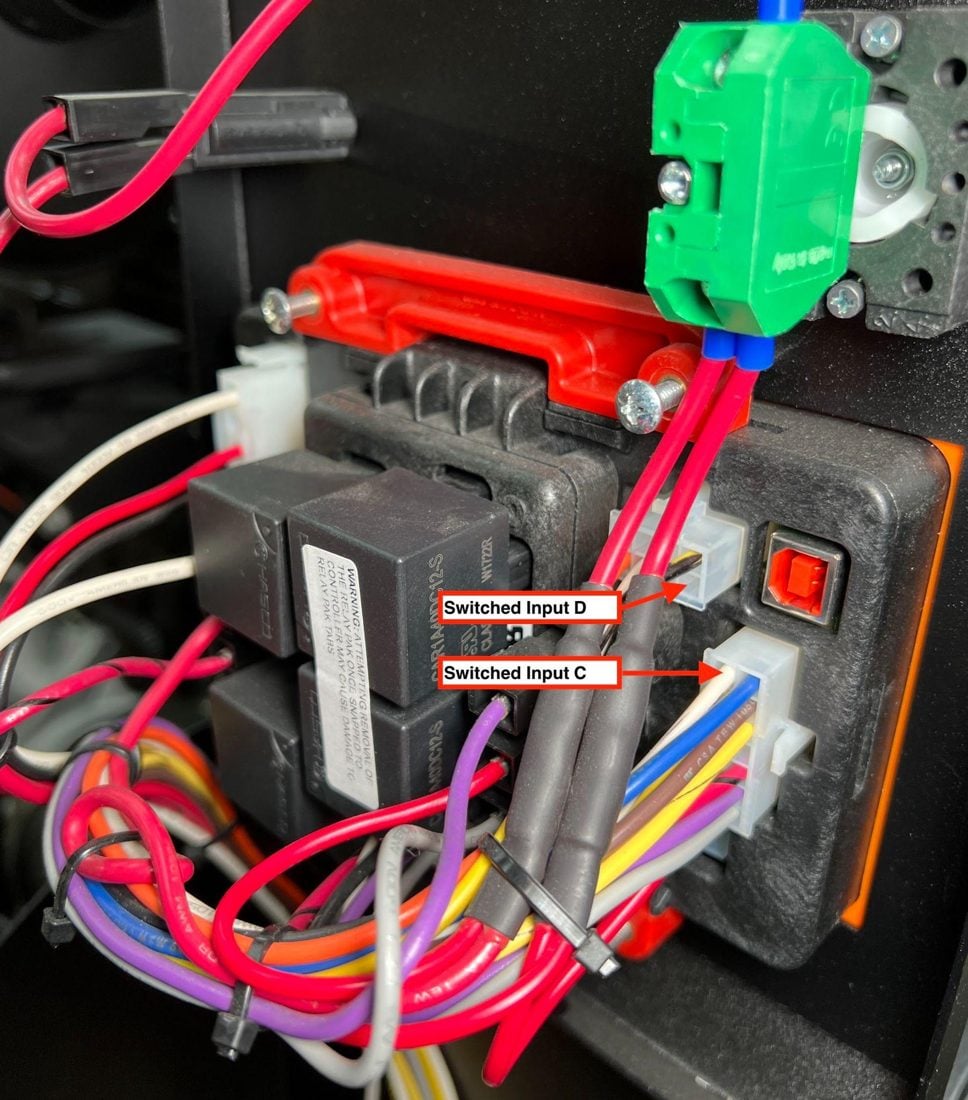
Identify and disconnect the remote-start wire directly at Switched Input C on the controller. This is normally the white wire in Aurora’s original wiring. Confirm its identity from the generator wiring diagram, especially if someone has modified the installation.
Repeat the controlled Auto test.
If the generator still starts with the input wire disconnected directly at the controller, a damaged input is suspected. Confirm that Input C is configured for Start/Stop with a Close GND trigger, and check for any other configured source of automatic starting.
3. Disable the suspected damaged input
A damaged input must be disabled before another input is assigned to remote starting. Moving the wire alone will not remove a false start request from the original input.
To access the settings, try password 0000. On many Aurora units, the password is the last four digits of the controller serial number.
Find the serial number under DEVICE INFO → ABOUT and note its last four digits.
- Open Switched I/O and enter the password when prompted.
- Select Switched IN C.
- Select Function.
- Select Disable and press ENTER.
- Confirm and save the setting when prompted.
If disabling Input C eliminates the unwanted starting, this supports the diagnosis that the start request was associated with that input.
4. Assign an available replacement input
Confirm that Switched Input D is unused before changing it. Some generators use it for another function. If it is already assigned or wired, contact Aurora to identify another suitable spare input.
If Input D is available:
- Open Switched I/O → Switched IN D.
- Set Function to Start/Stop.
- Set Trigger to Close GND.
- Save the settings and exit the menus.
Close GND is the setting for the Aurora ground-triggered wiring covered here. Changing the trigger setting alone does not convert a differently wired installation.
5. Move the remote-start wire
With the controller in STOP/OFF and power isolated, move the remote-start terminal from Switched Input C to Switched Input D, following the connector locations shown in the accompanying photo.
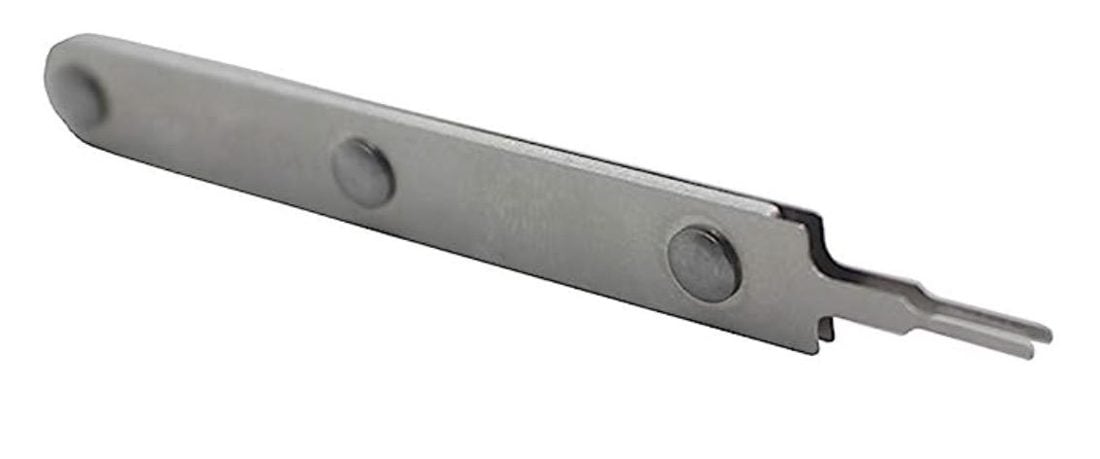
Use the correct terminal extraction tool to release the terminal without damaging its locking tabs or connector housing. The original Aurora instructions specify a Molex Mini-Fit Jr. extraction tool, part number 11-03-0044.
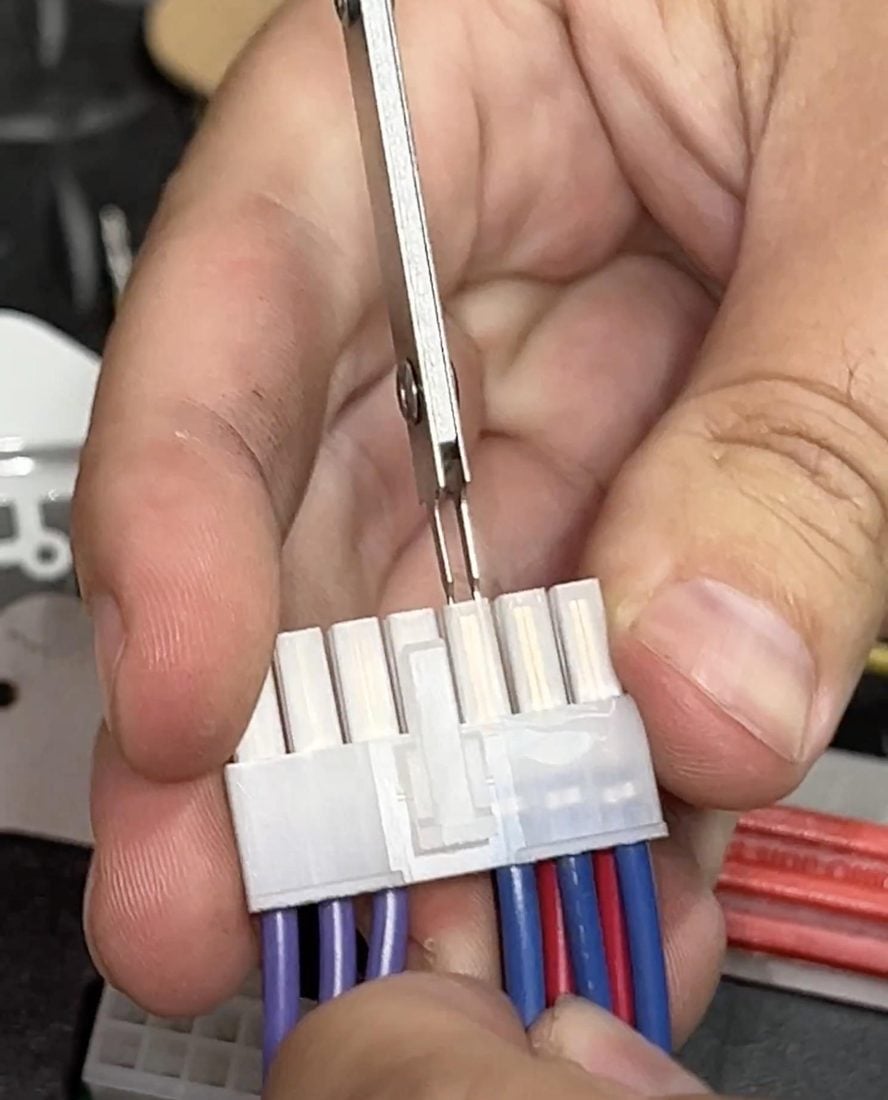
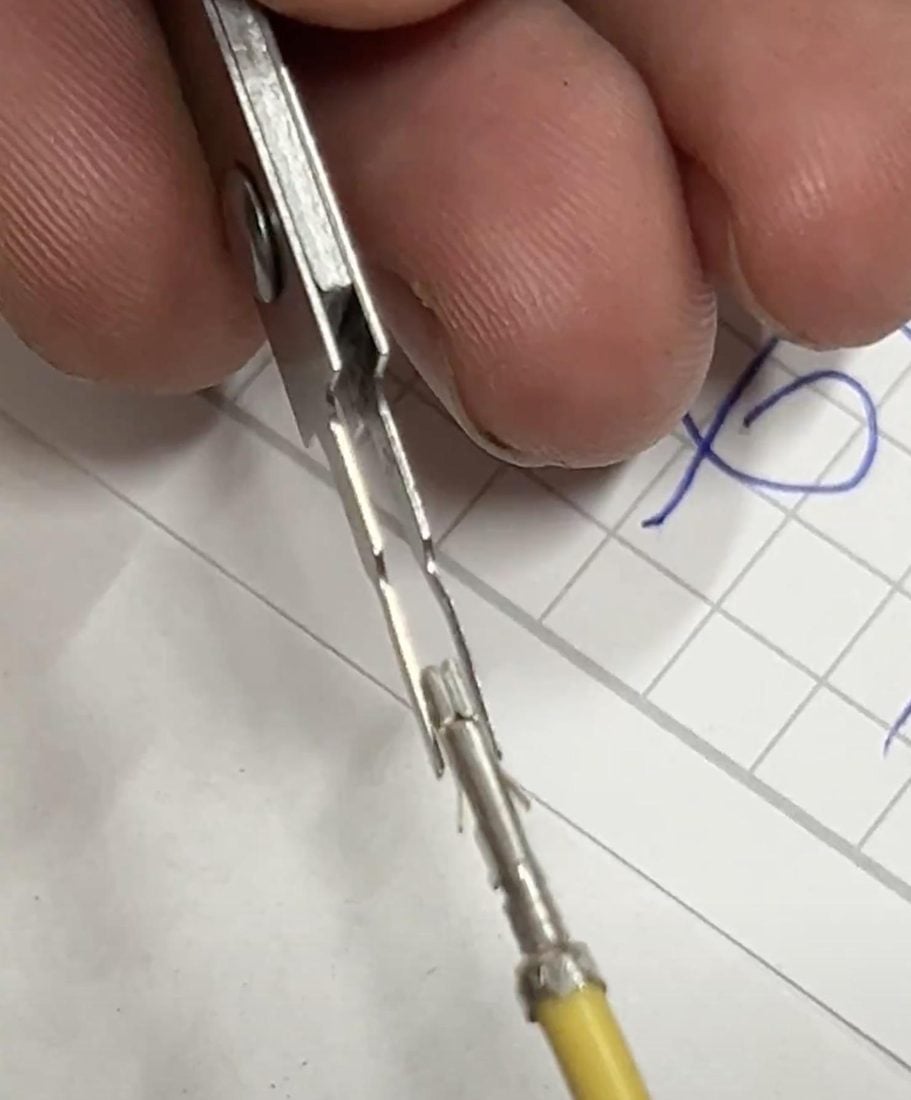
Confirm that the terminal locks securely into its new position.
6. Test automatic operation
Before reconnecting the external wiring, investigate and correct any suspected short, incorrect voltage, or wiring modification.
After reconnection, verify that:
- The generator remains stopped in AUTO when no start request is present.
- An ATS start request starts the generator.
- Removing that request allows the generator to complete its programmed stopping sequence.
- The generator remains stopped afterward.
What can damage an input?
Electrical transients from lightning, electrostatic discharge, induced voltage, or accidental application of an incorrect voltage can damage a controller input. Wiring faults can also imitate an input failure, so symptoms alone do not establish the cause.
Reassigning remote start to a healthy spare input can restore operation without replacing the controller, provided the remaining controller functions operate correctly. It does not correct the wiring fault or electrical conditions that caused the original damage.
If the wiring has been modified, no suitable spare input is available, or the generator still behaves incorrectly, contact Aurora before making further changes.